The big autumn update: voice in the game, a new messenger and music without alt-tabbing
Since early October we’ve shipped launcher 0.4.87–0.4.94 and mod 0.9.6–0.9.8 — the biggest update of the autumn. Voice chat right in the game on every version, a new messenger with files, music without alt-tabbing, camera and screen in calls, one-click moving from your old launcher and full premium accounts. Here it is, step by step, with screenshots and a video.
The launcher and the mod update by themselves. Don’t have the launcher yet? nlauncher.net/en/download.
- Proximity voiceOn all 127 versions — from 1.7.10 to 26.x.
- A new messengerReplies, pins, search, read ticks and files up to 25 MB.
- Premium accountsDMs, notifications and your own cosmetics in the game.
- CallsCamera and screen together, screen with sound.
- Music in the gameSpotify, YouTube and more — no alt-tabbing.
- Moving inModpacks, worlds and settings from other launchers.
Proximity voice — now everywhere
Walk up to a player on a server and talk with your voice, like in real life. No Discord and no server plugins: the voice goes through NLauncher’s servers, and only players next to you in the game can hear you.
Proximity voice first came out on a few versions. Now it’s on all 127 versions of the NLauncher mod: Fabric 1.14–1.21.11, Forge 1.7.10–1.21.11 (1.12.2 too), NeoForge and every 26.x.
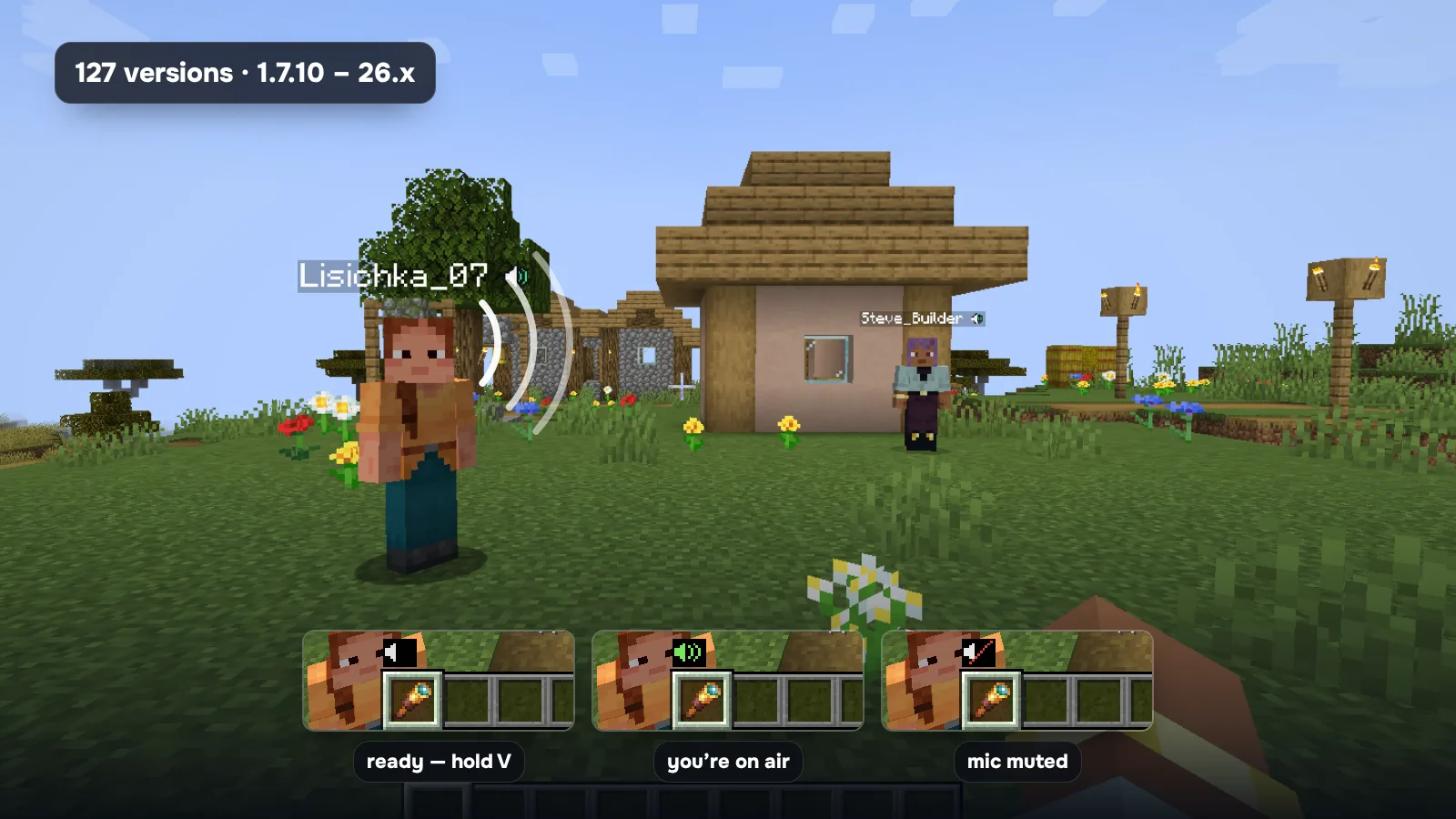
- 3D sound: you hear which side they’re talking from. The farther the player, the quieter.
- Crouch to whisper, muffled under water, silent from another dimension.
- Hold V — or use voice activation, or just listen.
- Volume for each player, mute, report and “friends only”.
- No eavesdropping: only players the game sees next to you get your voice.
All the details, with a video: Proximity voice: voice chat in Minecraft on any server.
A new messenger
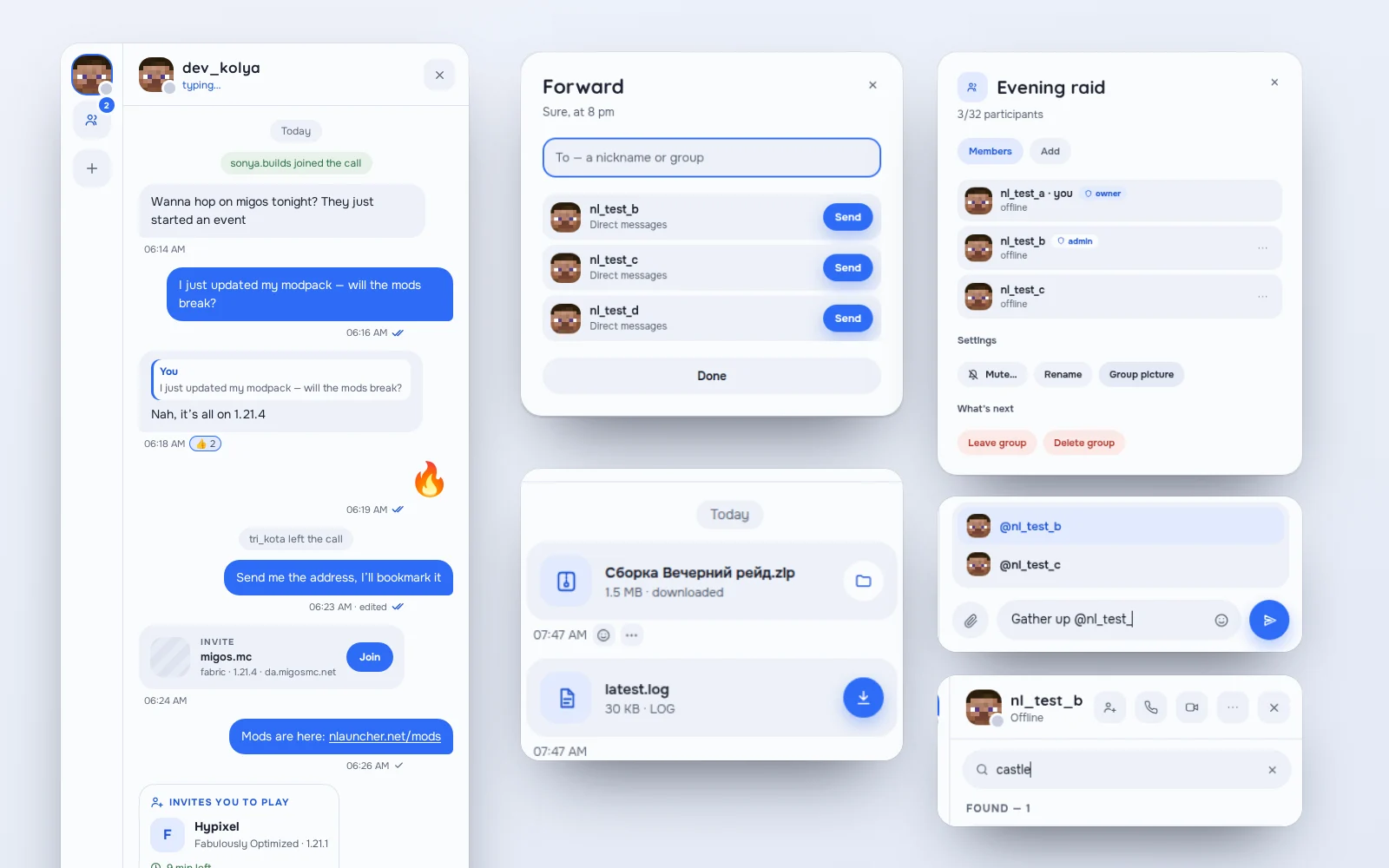
Chats in the launcher grew into a real messenger. Everything you’re used to from other messengers is here now:
- Reply, edit and delete for everyone — wrong chat? Delete it on both sides.
- Pins, forwarding and search in a chat (Ctrl+F).
- Read ticks ✓✓ and @mentions in groups.
- Groups: admin role, group picture, remove a member.
- Mute, block and report — if someone gets in the way.
- Paste pictures with Ctrl+V; an unfinished message stays as a draft.
Files in chats
Send a friend a modpack, a mod, a schematic, a world, a log or a PDF — with the paperclip, drag and drop or paste. Up to 25 MB, up to 100 MB with PLUS. Files go to your Downloads. Programs (.exe and the like) can’t be sent, even renamed — that’s protection from viruses.
The messenger is also fully translated into Ukrainian now.
Premium accounts, for real
If you sign in with Microsoft, NLauncher now works for you as fully as with an NLauncher account:
- Direct messages, notifications, screenshots in chat, DMs from the overlay, support chat and Play Together.
- Your own cosmetics in the game: other players see your items and PLUS badge on you — even if someone on NLauncher has the same name. Players are recognised by their in-game ID, not only by name.
- Friends with the same name: if a name belongs to both a premium and an NLauncher account, the launcher asks which one you mean.
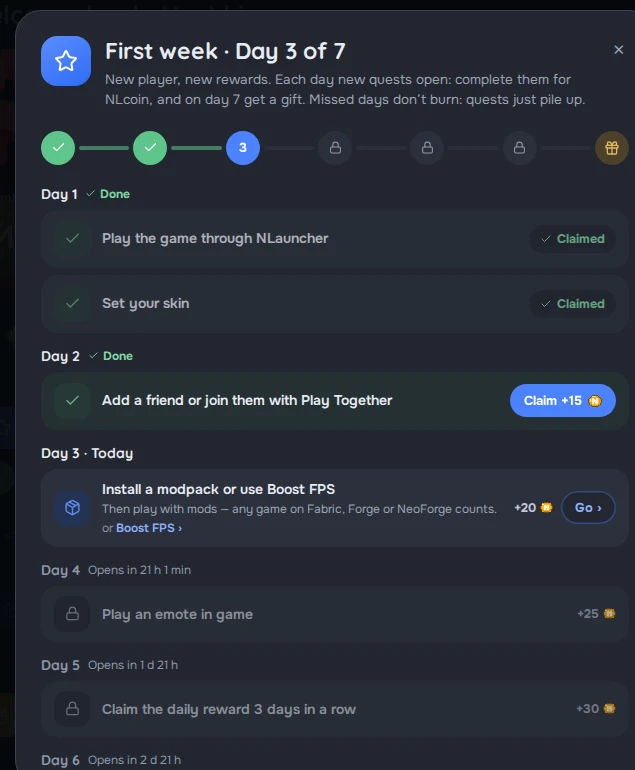
- First week and “Welcome back!” — quests for newcomers and NLcoin when you come back.
- Telegram notifications connect right from the launcher; your Microsoft email is now linked to the account.
- No more “Invalid session” a few minutes into playing on online servers, and singleplayer starts without the internet.
Camera and screen in calls
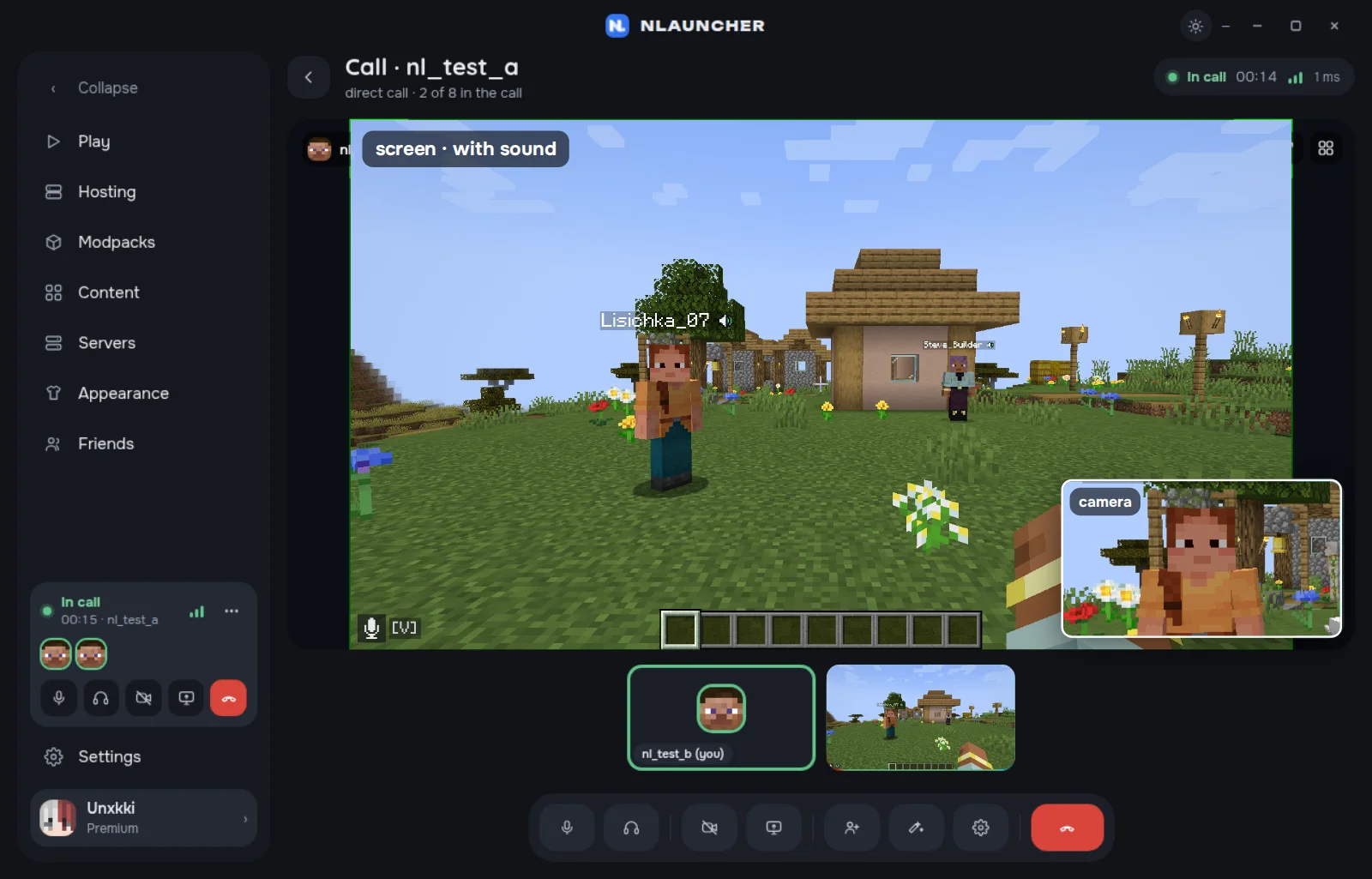
You can turn on your camera and share your screen at the same time: the screen big, the camera in a small window. And screen sharing now comes with sound — on Windows and on macOS 13 and newer. Share the game window and friends hear only the game, not your notifications or music.
Music without alt-tabbing
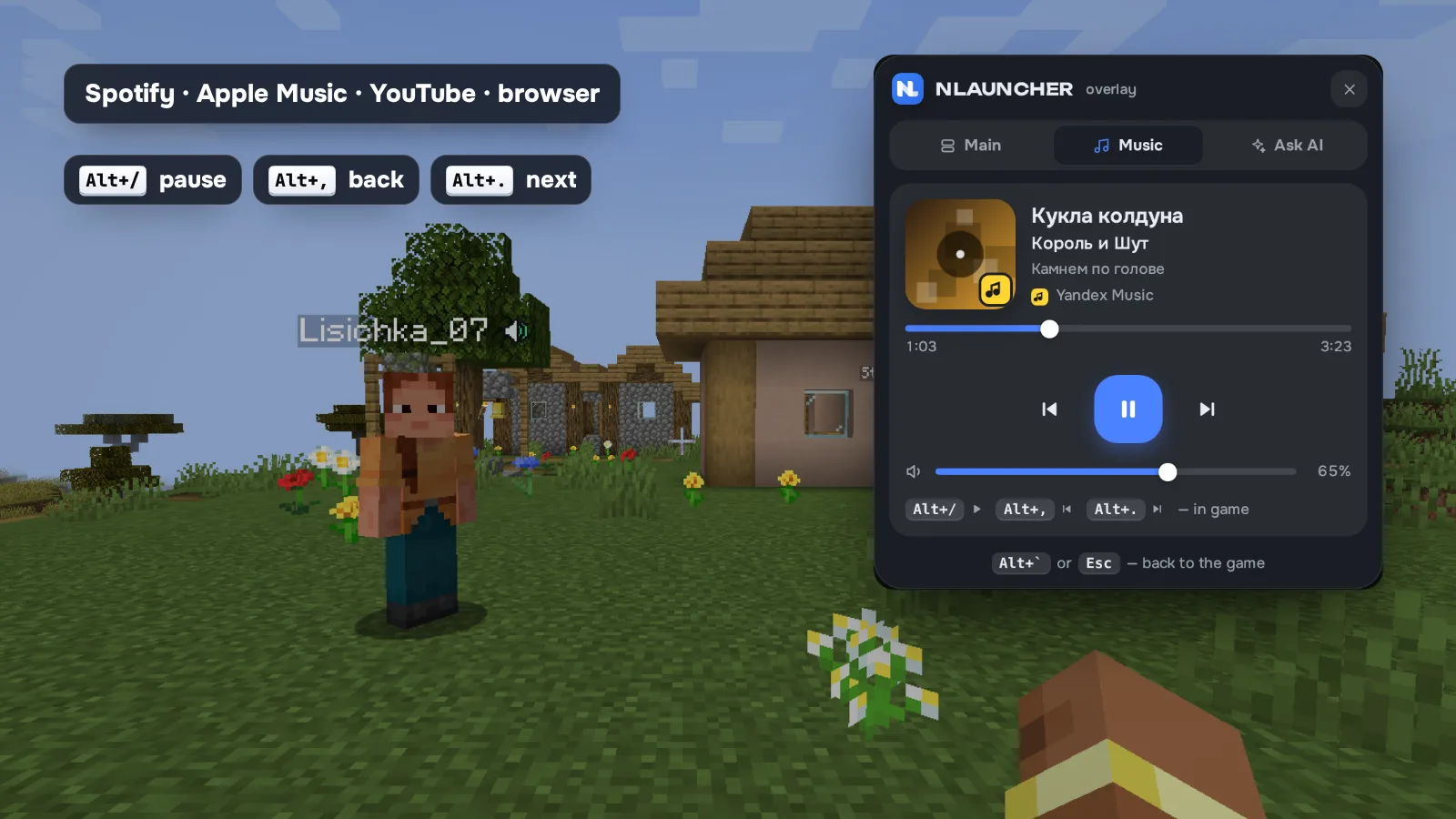
Spotify, YouTube, VK, Yandex Music and music in your browser (plus Apple Music on Mac): track, artist and cover in the overlay mini player on top of the game and in the launcher. Pause and skip with Alt+/, Alt+, and Alt+. — no need to leave the game.
If you want, friends will see “Listening to …” next to your name — it’s off until you turn it on.
Move in with one click
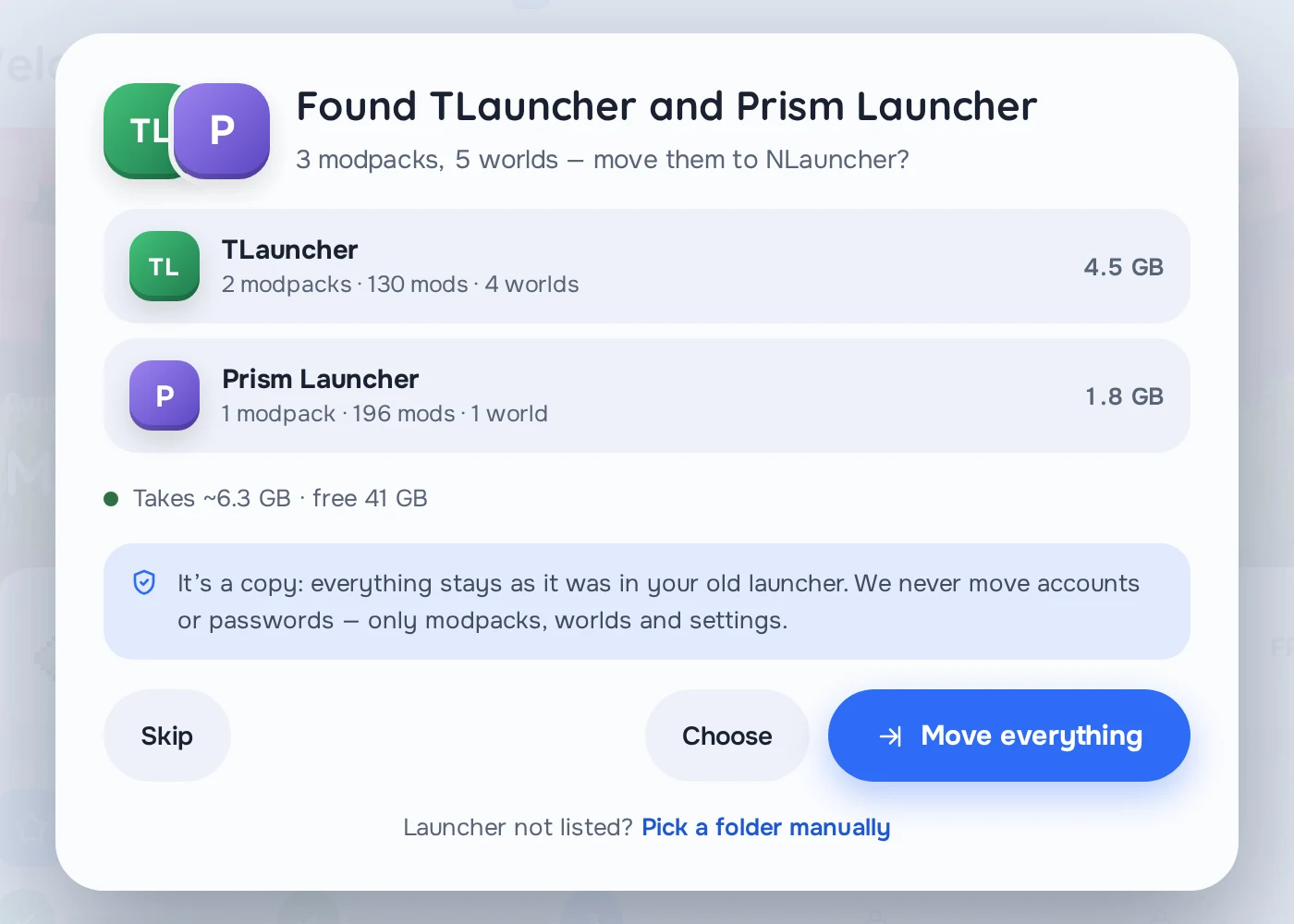
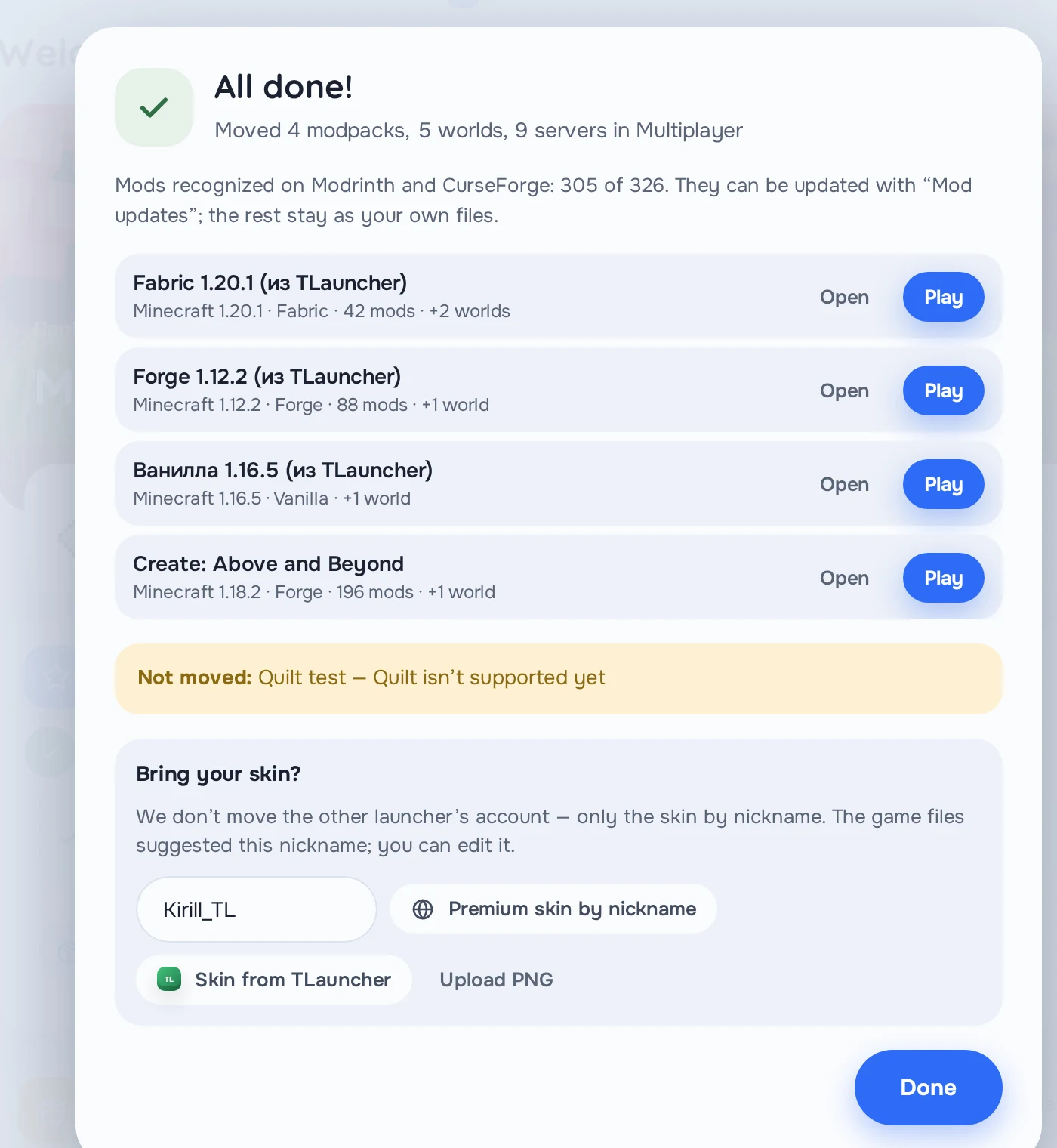
The launcher finds TLauncher, Legacy Launcher, the official launcher, CurseForge, Prism and MultiMC, Modrinth App, ATLauncher and GDLauncher by itself — and moves your modpacks with mods, worlds, resource packs, shaders, settings and keybinds, and your server list. The old launcher stays as it was; accounts and passwords are never moved.
You can take your skin by your premium name or straight from TLauncher. The button is Modpacks → From launcher, and on first start the launcher offers to move by itself.
Easier for newcomers
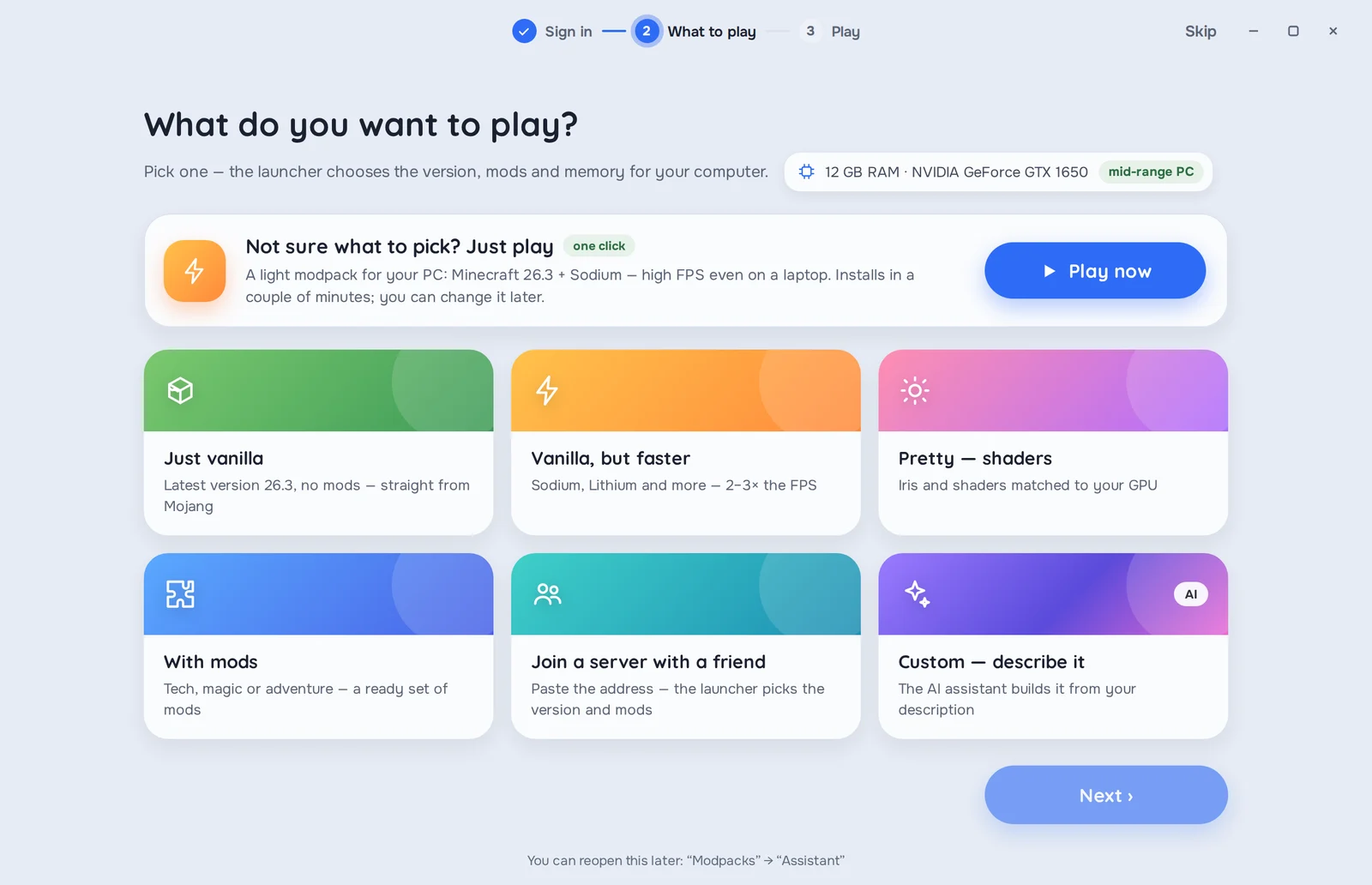
- Play now: in the first-start wizard one button installs a light modpack for your computer and starts the game.
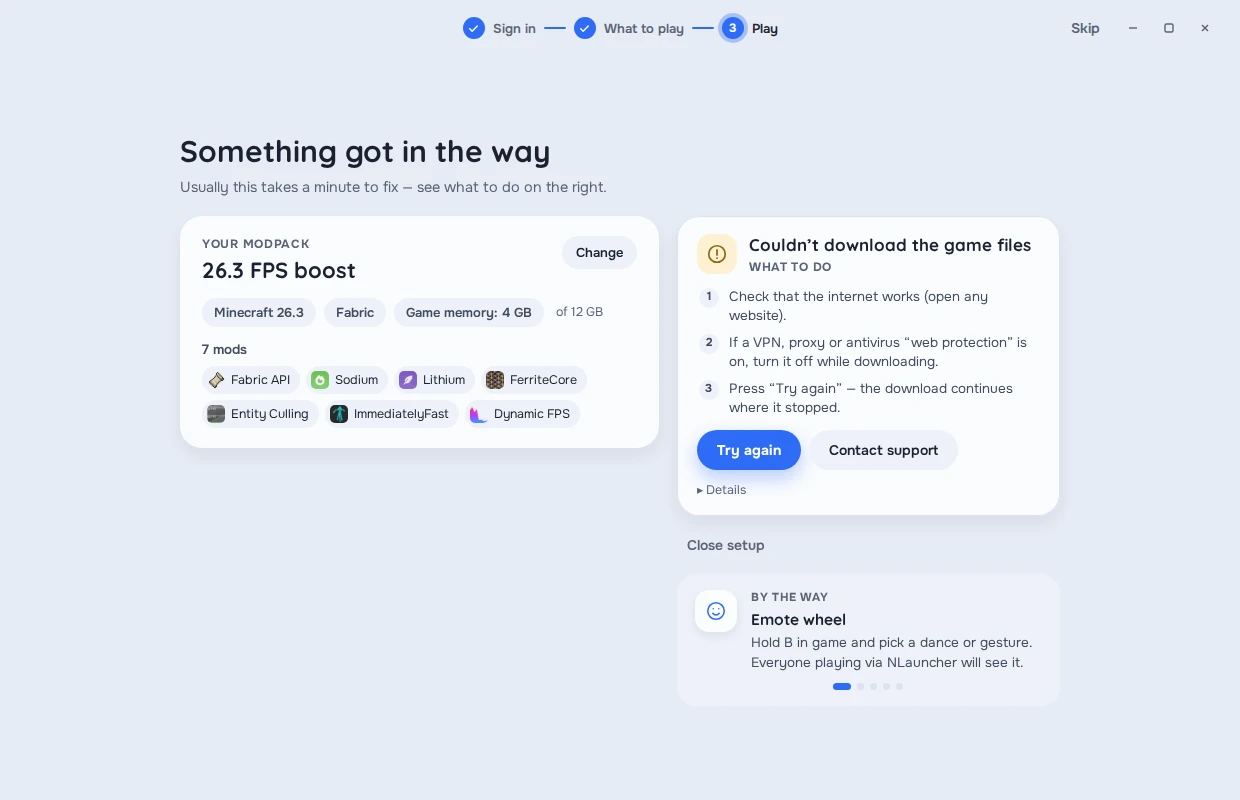
- Clear errors: if something goes wrong, the launcher says in plain words what happened and what to do — try again, play without mods, check the modpack.
- Graphics driver: the launcher warns you in advance if your driver is outdated — the main cause of crashes.
- Wrong password — a hint that a password from another launcher doesn’t work here.
NLauncher PLUS got bigger
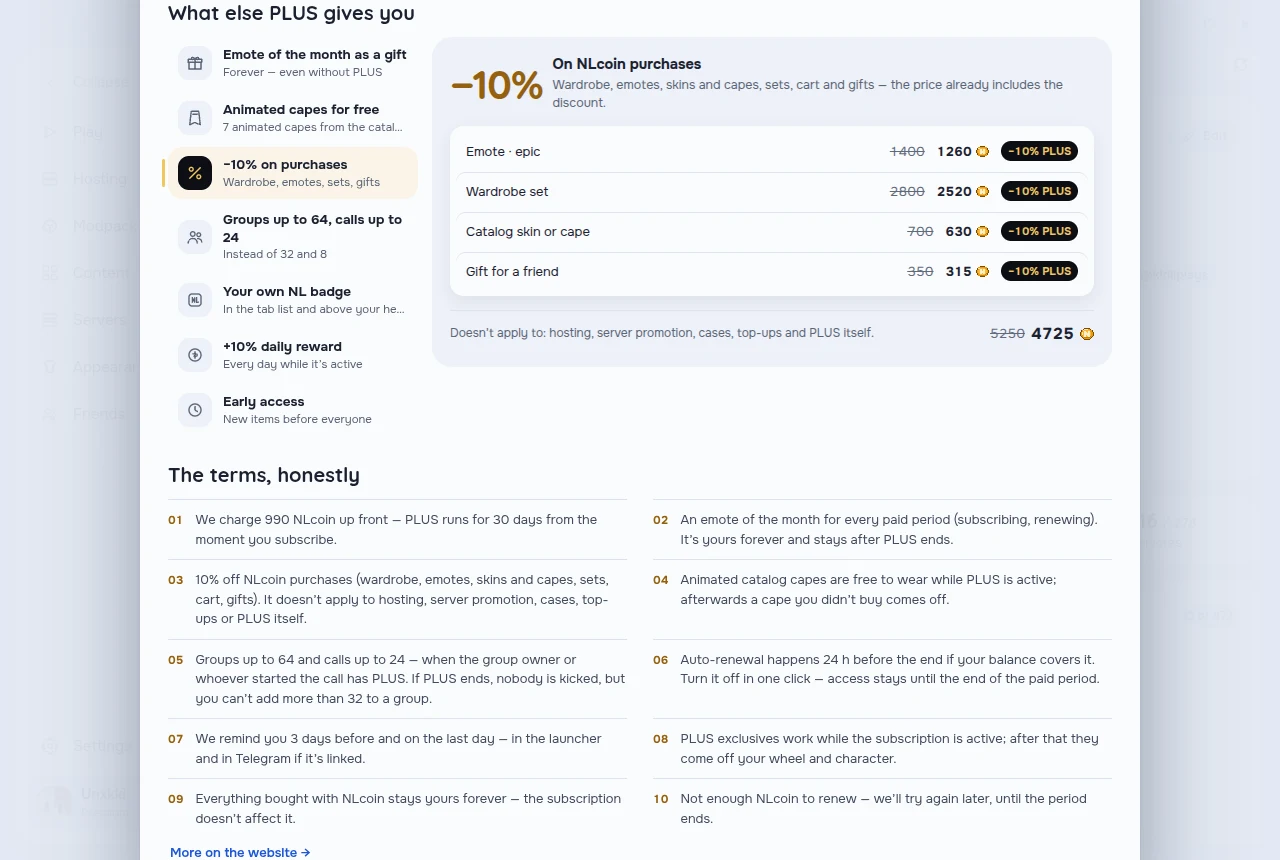
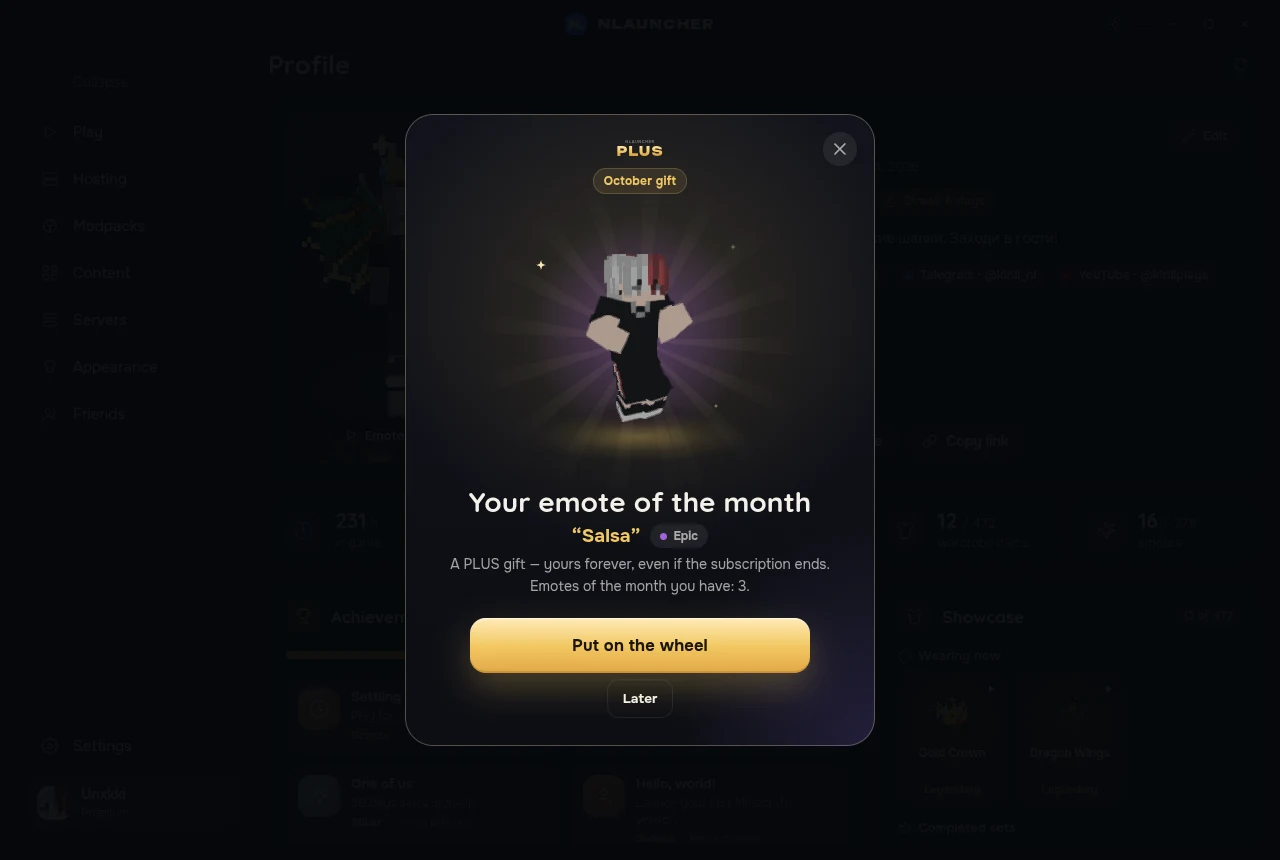
- The emote of the month is yours forever, even when the subscription ends.
- −10% on all cosmetics.
- Animated capes from the catalog — free while PLUS is active.
- Calls up to 24 people and groups up to 64.
- Your own name badge: any colour, gold PLUS or shimmer — in the tab list and above your head.
- Files in chats up to 100 MB.
Coming soon
We’re already working on these — we’ll share dates when they’re ready:
- Sound reactions in voiceShort sounds right in proximity voice.
- Achievements on any serverNLauncher achievements wherever you play.
- Discord statusWhat you’re doing in the game, shown to friends in Discord.
- NLauncher for AndroidWith real Minecraft Java. In development.
How to update
There’s nothing to do: open the launcher — it updates itself to 0.4.94, and the mod updates to 0.9.8 the next time you start the game. Your account, friends, NLcoin, modpacks and items are all there.
Don’t have the launcher yet? Download it — moving from your old launcher takes one click.
Windows 10 and 11 (64-bit) · macOS 12 and newer on Apple Silicon and Intel · Linux 64-bit: AppImage and .deb